Usage Guidelines
- These are the proper instructions to receive Google Analytics access from clients
- We need this complete for any clients running a digital marketing campaign
Instructions for Access
- Client needs to login to analytics.google.com
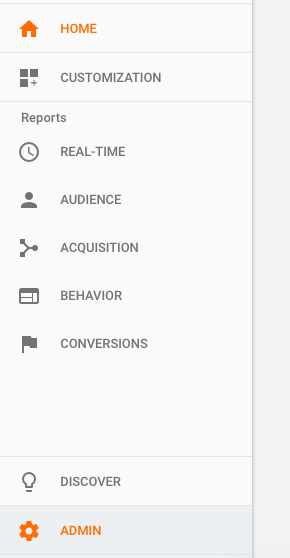
- Navigate to “Admin” on the bottom left column
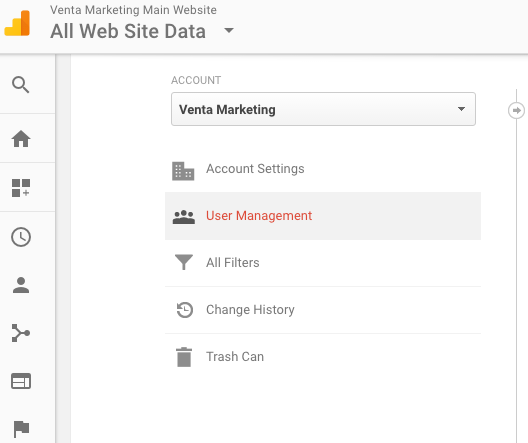
- Click “User Management” and enter [email protected] or [email protected] under “Add Permissions For:”
- Ideal access is:
- Manage Users
- Edit
- Collaborate
- Read & Analyze
- Click “Add”
- We then check to see if they were added into our account and confirm with the client it is completed properly
Instructions to email to client:
- Go to analytics.google.com
- Make sure it is your website title in the top left
- Click “Admin” in the bottom left tab
- It’s the one shaped like a gear wheel
- Click “User Management” under Accounts
- Add [[email protected] or [email protected]] to the space that says “Add Permissions For:”
- It is ideal to receive “manage users, edit, collaborate, and read & analyze”
- Click “Add”
- Let us know when you complete this part and we will confirm with you that it is working properly!